 More than +1 Million customers put their trust in us | INSTANT-DELIVERY

Cart is empty
 Our Brands












Hover on image to enlarge
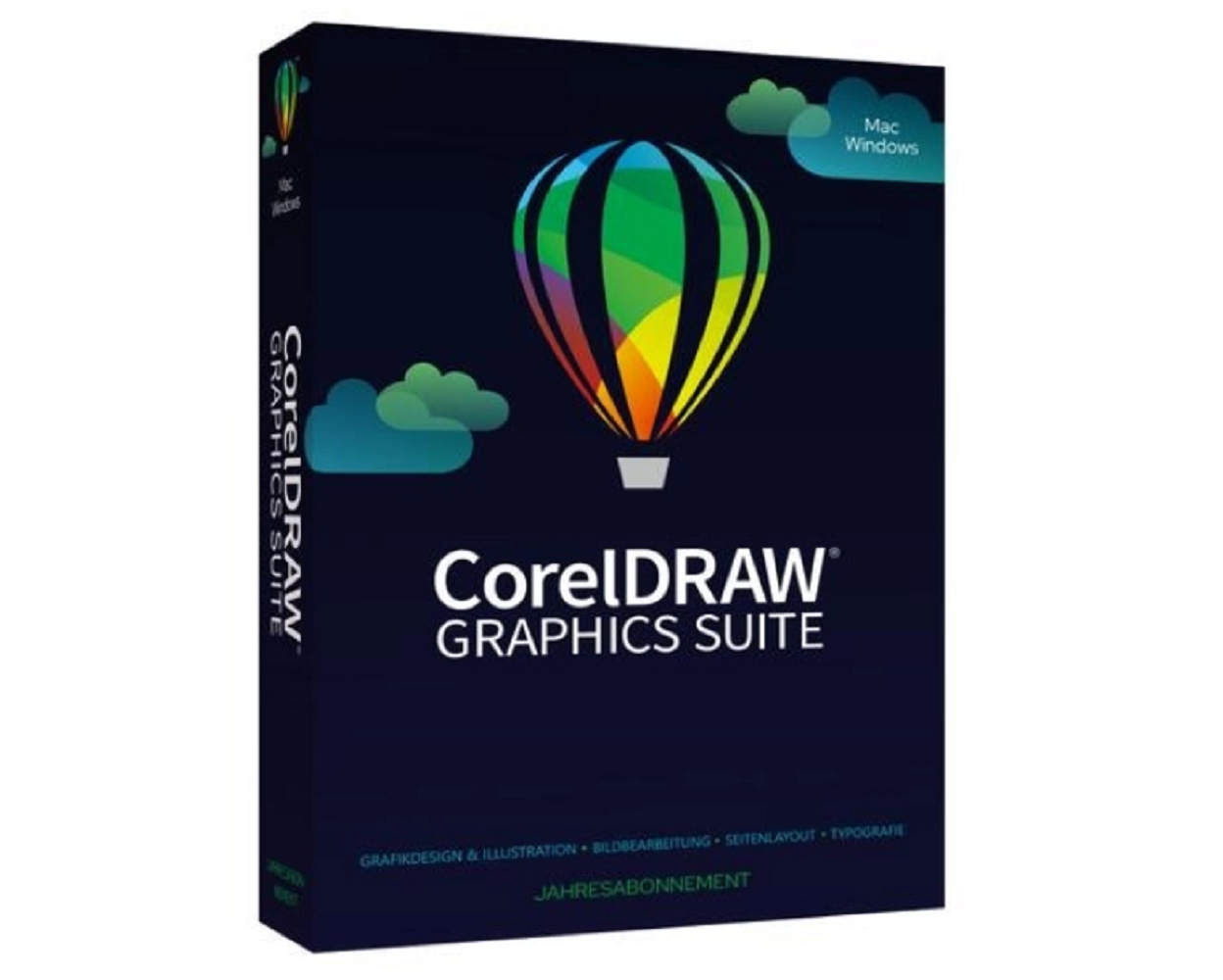
CorelDraw Graphics Suite 365
CorelDraw Graphics Suite 365 with the best deal in the market
After you successfully buy the product you will, in a matter of 24 hours, receive:
- A genuine CorelDraw Graphics Suite 365 activation License Key is valid for one year (12 months) from the date of activation.
- The full version of CorelDraw Graphics Suite 365 download link
- A guide on how to activate your Product
- 24/7 Free Technical support

The Benefits of Buying CorelDraw Graphics Suite 365 from us
Guaranteed Authenticity
All our softwares are 100% authentic, directly from official manufacturers.
Warranty
Enjoy peace of mind with our during the product's validity warranty, far beyond the standard 30 days.
Free Installation
Enjoy a free installation service for a hassle-free setup.
24/7 Customer Support
Our dedicated team is available anytime to assist you.
Best Prices
Get the best prices: NZD460.99!
Description
CorelDRAW Graphics Suite 365: Overview
- Advanced Design Tools: Offers powerful features to create various designs, from logos to complex illustrations.
- Enhanced Collaboration: Facilitates effective teamwork with CorelDRAW.app, enabling real-time project sharing and feedback.
- Instant Access to New Features: A subscription model ensures regular updates and exclusive tools, keeping users always up to date.
- Intuitive User Interface: An ergonomic design simplifies the creative process, making tools easily accessible even for beginners.
- Multi-Platform Compatibility: Usable on Windows, Mac, and through web apps, offering flexibility and mobility to users.
- Photo Editing Tools: Integrates Corel PHOTO-PAINT for advanced photo editing and retouching capabilities.
- Efficient Project Management: Features like multi-page views and the Font Manager help organize and manage projects smoothly.
Creativity Meets Productivity with CorelDRAW Graphics Suite
CorelDRAW® Graphics Suite is your complete professional design toolkit, allowing you to create impressive vector illustrations, layouts, photo edits, and typographic projects with maximum efficiency. An affordable subscription offers great value, with guaranteed immediate access to new features and exclusive content, top-tier performance, and support for the latest technologies.
Design
Create unique illustrations, signs, logos, and more – whether on Windows, Mac, or on the go with CorelDRAW.app™.
Collaboration
Use CorelDRAW.app to collaborate in real-time with clients and colleagues and receive feedback from one or multiple reviewers.
Efficiency
Achieve outstanding results in less time with highly productive tools suited for all types of outputs.
All the CorelDRAW Graphics Suite Tools You Need for Every Project
CorelDRAW
Vector illustration and layout: With this powerful, fully-featured graphic design application, you can create anything from vector illustrations to layouts.
CAPTURE
Screen capture: Capture and save images from your computer screen, whether it’s the entire screen, individual windows, or menu lists, with just one click.
Corel PHOTO-PAINT
Photo editing and pixel design: Process images at a high level with Corel PHOTO-PAINT, equipped with advanced, AI-based tools while using an integrated workflow with CorelDRAW.
Corel Font Manager®
Font exploration and management: Organize and manage your font library with the user-friendly Corel Font Manager and use your favorite fonts without needing to install them.
CorelDRAW.app™
Web-based vector illustration and graphic design: Use CorelDRAW.app on the web or iPad to review files easily or design on the go.
AfterShot™ HDR
RAW photo editor: Make professional corrections and enhancements to your RAW or JPEG photos and create high dynamic range images with AfterShot HDR. Available in English, German, and Japanese.
The Sky’s the Limit!
Branding and Marketing
CorelDRAW Graphics Suite provides creative professionals in the advertising and publishing sectors, as well as small businesses creating in-house marketing materials, the right tools to design everything from eye-catching brand identities to engaging sales tools.
Signage and Large-Format Printing
Signage and printing professionals rely on CorelDRAW® to create print-ready designs for a variety of outputs, thanks to its powerful color management engine and excellent prepress tools.
Fashion and Textiles
CorelDRAW Graphics Suite provides all the necessary tools for creating and outputting designs for the fashion industry, whether you work in screen printing, embroidery, direct-to-garment printing, or apparel manufacturing.
Retail and E-Commerce
CorelDRAW Graphics Suite offers retail professionals tools specifically designed for both web and print, whether for designing point-of-sale promotions or creating assets to enhance an e-commerce website.
Plans, Maps, and Diagrams
CorelDRAW is a trusted partner for engineering, manufacturing, and construction companies to create product and parts illustrations, diagrams, schematics, and other complex visual representations. With the CorelDRAW® Technical Suite, technical communication professionals have a complete set of specialized tools for creating technical documents and for reviewing and publishing detailed illustrations.
Illustration and Fine Art
Illustrators and artists can combine traditional artistic practice with CorelDRAW’s modern vector illustration technology to create stunning works of art.
Subscribe for the Latest Features
Enjoy the benefits of a CorelDRAW Graphics Suite subscription, which gives you access to new features and exclusive content not available otherwise.
NEW: Faster Photo Editing
With the new non-destructive, stackable adjustment presets and the completely redesigned Adjustments docker, which is up to 10 times faster than before, you can unleash your creativity. Expect a range of customized enhancements to frequently used photo editing functions and an updated Adjustments menu with new tools, shortcuts, and commands.
NEW: Enhanced Learning Experience
Find personalized learning content in the new Learn docker and browse online content while working on the Explore tab. Thanks to optimizations that provide you with personalized training, you'll master the tools faster without needing to leave CorelDRAW to refresh your skills.
NEW: Customer-Inspired Features
Take advantage of many advanced features based on direct suggestions from our loyal users – from time-saving improvements in multi-page views to valuable enhancements in photo editing and exporting. Contribute to the design and development of CorelDRAW Graphics Suite by submitting your ideas and voting on others to make them a reality!
What’s New in CorelDRAW Graphics Suite?
Professional Design Tools at Your Fingertips
Vector Illustration
Leverage CorelDRAW’s powerful vector illustration tools to transform simple lines and shapes into complex works of art. Create curves using a variety of shape and drawing tools, and add creative effects to your vector graphics with tools like Contour, Envelope, Mesh Fill, and more.
Layout
Find all the tools you need to create layouts for brochures, multi-page documents, and more. Switch between single-page editing and multi-page document views for creative freedom.
Typography
Craft typographic designs with a complete set of typography tools. Add effects like drop shadows and outlines to text, make adjustments with variable font support, fit text to paths, and much more.
Font Management
Organize and manage your font library with Corel’s intuitive Font Manager, and use your favorite fonts without installing them. With network storage capabilities, you can work faster with fonts and access over 1,000 Google font families directly.
Photo Editing
Take advantage of Corel PHOTO-PAINT’s powerful layer-based photo editing tools to adjust colors and tones, fix imperfections, straighten perspectives, and more. Enhance your images’ size and quality with AI and use AfterShot HDR to create stunning high dynamic range photos from your RAW images.
Collaboration
Accelerate your creative process with a cloud-based workflow for collaboration that greatly improves communication with clients and colleagues in real-time designs. Gather live comments and annotations from one or more contributors directly in your CorelDRAW design file and edit feedback simultaneously.
Color, Fills, and Transparencies
Easily add color to your objects using color swatches or create colors based on harmonies. Adjust an object’s transparency and fill it with patterns, gradients, mesh fills, and more.
Bitmap-to-Vector Tracing
Enjoy exceptional bitmap-to-vector conversion with the impressive AI-powered PowerTRACE™. Benefit from advanced image optimization options that improve a bitmap’s quality during tracing.
Flexible Design Space
Take advantage of new workflows that give you control over your pages and assets, allowing you to move from ideation to output in record time.
Multi-Page View
Display all the digital assets of your project in a single view, manage, and edit them – a brand-new playground for your creativity! Smoothly move objects between pages, compare designs side-by-side, and rearrange pages as you wish.
Multiple Object Export
At the end of your design process, create a custom list of page and object elements that you can export with one click!
Styles and Style Sets
With the Object Styles docker, it’s easy to manage styles and style sets to apply consistent formatting to multiple objects and make changes with a single click.
HTML5 Animations
Create stunning web animations and add interactive design elements to your projects.
Fast and Easy
CorelDRAW Graphics Suite offers powerful features that are easy to use, helping you bring your ideas to life. Boost your productivity, save time, and increase your efficiency with new, user-friendly features.
Design Anywhere
With CorelDRAW.app, you can design, review, and edit your creations anytime, anywhere. Perfect for working on the go!
System Requirements for CorelDRAW Graphics Suite
Windows
- Operating System: Windows 11 or Windows 10 (version 21H1 or later), 64-bit, with the latest updates.
- Processor: Intel Core i3/5/7/9 or AMD Ryzen 3/5/7/9/Threadripper, EPYC.
- Graphics Card: OpenCL 1.2 compatible graphics card with at least 3 GB of VRAM.
- Memory: 8 GB of RAM.
- Storage: 5.5 GB of free disk space for installation files and application.
- Devices: Mouse, tablet, or multitouch screen.
- Display Resolution: 1280 x 720 at 100% (96 dpi).
- Optional: DVD drive for box version installation (up to 900 MB of download required).
- Internet Connection: Required for installation and access to online features and content.
macOS
- Operating System: macOS Monterey (12), macOS Big Sur (11), or macOS Catalina (10.15) with the latest updates.
- Processor: Apple M1, M1 Pro, M1 Max, or multi-core Intel processor.
- Graphics Card: OpenCL 1.2 compatible graphics card with at least 3 GB of VRAM.
- Memory: 8 GB of RAM.
- Storage: 4 GB of available disk space (SSD recommended); case-sensitive file systems are not supported.
- Display Resolution: 1280 x 800 (1920 x 1080 recommended).
- Devices: Mouse or graphics tablet.
- Internet Connection: Required for installation, authentication, and access to software components and online content.
Frequently Asked Questions about CorelDRAW Graphics Suite 365
-
What is CorelDRAW Graphics Suite 365?
CorelDRAW Graphics Suite 365 is a subscription solution that provides full access to CorelDRAW’s suite of graphic tools, including exclusive features, regular updates, and support for the latest technologies, all via a flexible subscription model.
-
What are the benefits of CorelDRAW Graphics Suite 365?
A subscription to CorelDRAW Graphics Suite 365 allows you to benefit from continuous improvements, access to new features, additional content, and full support for the latest technological standards, all at a lower cost compared to a perpetual license.
-
Can I use CorelDRAW Graphics Suite 365 on multiple devices?
Yes, CorelDRAW Graphics Suite 365 allows installation on multiple devices, but use is limited to one device at a time per user.
-
Does CorelDRAW Graphics Suite 365 work on both macOS and Windows?
Yes, CorelDRAW Graphics Suite 365 is compatible with both Windows and macOS systems. Each version is optimized to work efficiently on these platforms.
CorelDRAW Graphics Suite
| Products |
|
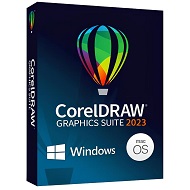
|
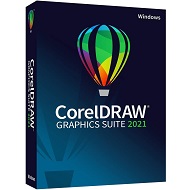
|
|---|---|---|---|
| Painterly Brush tool | ✔ | ❌ | ❌ |
| Remote fonts in CorelDRAW | ✔ | ❌ | ❌ |
| Streamlined non-destructive effects workflow | ✔ | ❌ | ❌ |
| Focus Mode | ✔ | ❌ | ❌ |
| Enhanced asset management | ✔ | ✔ | ❌ |
| Multipage export in Export docker | ✔ | ❌ | ❌ |
| Print Merge support for QR codes, images, and .xlsx data | ✔ | ❌ | ❌ |
| Enhanced PDF file import | ✔ | ✔ | ❌ |
| Variable Outline tool | ✔ | ✔ | ❌ |
| Personalized practice projects | ❌ | ❌ | ❌ |
| Cloud template library | ❌ | ❌ | ❌ |
| WebP file support | ✔ | ✔ | ❌ |
| Enhanced Start New Document workflow | ✔ | ✔ | ❌ |
| Adjustment presets | ✔ | ✔ | ❌ |
| Adjustments docker/inspector | ✔ ENHANCED |
✔ ENHANCED |
✔ |
| Effects docker/inspector in Corel PHOTO-PAINT | ✔ | ❌ | ❌ |
| Pages docker/inspector | ✔ ENHANCED |
✔ ENHANCED |
✔ |
| Learn docker/inspector | ✔ | ✔ | ❌ |
| Share ideas and provide feedback | ✔ | ✔ | ❌ |
| Drawing tools | |||
| Perspective Drawing | ✔ | ✔ | ✔ |
| Snap to Self | ✔ | ✔ | ✔ |
| Vector feathering | ✔ | ✔ | ✔ |
| Advanced Shadow tools, incl. Inner Shadow, Block Shadow | ✔ | ✔ | ✔ |
| Bitmap effects lens | ✔ | ✔ | ✔ |
| AI-Powered PowerTRACE™ | ✔ | ✔ | ✔ |
| Non-destructive effects | ✔ ENHANCED |
✔ | ✔ |
| AI-powered Art Style effects | ✔ | ✔ | ✔ |
| Symmetry mode | ✔ | ✔ | ✔ |
| Pointillizer™, Impact tool | ✔ | ✔ | ✔ |
| Straighten photos interactively | ✔ | ✔ | ✔ |
| LiveSketch™ tool | ✔ | ✔ | ✔ |
| Vector and bitmap pattern fills | ✔ | ✔ | ✔ |
| Fountain fills | ✔ | ✔ | ✔ |
| Mesh Fill | ✔ | ✔ | ✔ |
| Layout tools | |||
| Multipage View | ✔ ENHANCED |
✔ ENHANCED |
✔ |
| Pages docker/Inspector | ✔ ENHANCED |
✔ ENHANCED |
|
| Autofit Page | ✔ | ✔ | ✔ |
| Objects docker/inspector | ✔ | ✔ | ✔ |
| Align and Distribute docker/inspector | ✔ | ✔ | ✔ |
| Alignment and Dynamic Guides | ✔ | ✔ | ✔ |
| Fit Objects to a Path | ✔ | ✔ | ✔ |
| Apply envelopes to bitmaps | ✔ | ✔ | ✔ |
| Master Layers | ✔ | ✔ | ✔ |
| Image editing | |||
| Image Adjustments docker/inspector | ✔ ENHANCED |
✔ ENHANCED |
✔ |
| Replace Colors | ✔ | ✔ | ✔ |
| AI-powered Upsampling options | ✔ | ✔ | ✔ |
| AI-powered JPEG artifact removal | ✔ | ✔ | ✔ |
| Non-destructive effects in Corel PHOTO-PAINT | ✔ ENHANCED |
✔ | ✔ |
| Smart Selection mask tool | ✔ | ✔ | ✔ |
| Tone curve adjustments | ✔ ENHANCED |
✔ ENHANCED |
✔ |
| PhotoCocktail™ | ✔ | ✔ | ✔ |
| Adjust photo perspective interactively | ✔ | ✔ | ✔ |
| Liquid tools | ✔ | ✔ | ✔ |
| Unsharp Mask Lens | ✔ | ✔ | ✔ |
| Smart Carver™ | ✔ | ✔ | ✔ |
| Collaboration | |||
| Project Dashboard | ❌ | ❌ | ✔ |
| Live Comments | ❌ | ❌ | ❌ |
| Real-time collaboration | ❌ | ❌ | ❌ |
| Comments docker/inspector | ❌ | ❌ | ✔ |
| Cloud-based asset management | ❌ | ❌ | ❌ |
| Design workflow | |||
| Symbol docker/inspector | ✔ | ✔ | ✔ |
| Find and Replace | ✔ | ✔ | ✔ |
| Context-sensitive Object Properties docker/inspector | ✔ | ✔ | ✔ |
| Styles engine and docker/inspector | ✔ | ✔ | ✔ |
| Color management | ✔ | ✔ | ✔ |
| PANTONE Color Palettes | ✔ | ✔ 220+ new Pantone Colors |
✔ 220+ new Pantone Colors |
| Color Styles | ✔ | ✔ | ✔ |
| Complementary colors and Harmonies | ✔ | ✔ | ✔ |
| Document color palettes | ✔ | ✔ | ✔ |
| QR codes | ✔ | ✔ | ✔ |
| Project Timer | ✔ | ✔ | ✔ |
| Adobe product support | ✔ | ✔ | ✔ |
| Microsoft product support | ✔ | ✔ | ✔ |
| AutoCAD DWG/DXF support | ✔ | ✔ | ✔ |
| Typography | |||
| Remote fonts in CorelDRAW | ✔ -1,400+ Google Fonts families -Included font packs |
❌ iGoogle Fonts integration via Corel Font Manager only. |
❌ |
| Variable Fonts support | ✔ | ✔ | ✔ |
| Font list box | ✔ ENHANCED |
✔ | ✔ |
| Numbered lists and Bulleted lists | ✔ | ✔ | ✔ |
| Corel Font Manager | ✔ | ✔ | ✔ |
| Special characters, symbols, and glyphs | ✔ | ✔ | ✔ |
| Font embedding | ✔ | ✔ | ✔ |
| Printing & Publishing | |||
| Multi-Asset Export | ✔ ENHANCED |
✔ ENHANCED |
✔ |
| Export docker/inspector | ✔ ENHANCED |
✔ ENHANCED |
✔ |
| Print Merge | ✔ ENHANCED |
✔ | ✔ |
| PDF/X support (incl. PDF/X-4) | ✔ | ✔ | ✔ |
| PDF/A support | ✔ | ✔ | ✔ |
| Prep & Stretch docker/inspector | ✔ | ✔ | ✔ |
| Border and Grommet for banner printing | ✔ | ✔ | ✔ |
| Preflight Control | ✔ | ✔ | ✔ |
| On-screen color proof | ✔ | ✔ | ✔ |
| Web | |||
| CorelDRAW.app | ❌ | ❌ | ❌ |
| Publish to WordPress | ✔ | ✔ | ✔ |
| Design in pixels | ✔ | ✔ | ✔ |
| Pixel-perfect workflow | ✔ | ✔ | ✔ |
| Accessing design assets | |||
| Cloud-based asset management | ❌ | ❌ | ❌ |
| HEIF support | ✔ | ✔ | ✔ |
| Built-in RAW camera support (>400 camera models supported) | ✔ | ✔ | ✔ |
| Blank document/image presets | ✔ | ✔ | ✔ |
| High-quality thumbnail previews | ✔ | ✔ | ✔ |
| User interface | |||
| Windows 11 optimized user interface | ❌ | ✔ | ✔ |
| Customizable keyboard shortcuts (For Mac) | ✔ | ✔ | ✔ |
| Touch-friendly user interface | ✔ | ✔ | ✔ |
| Microsoft Surface support | ✔ | ✔ | ✔ |
| Welcome Screen | ✔ ENHANCED |
✔ ENHANCED |
✔ |
| Workspaces (Windows only) | ✔ | ✔ | ✔ |
| Fully scalable and customizable UI (Windows only) | ✔ | ✔ | ✔ |
| Content | |||
| Modern templates | ✔ | ✔ | ✔ |
| Professional clipart | ✔ | ✔ | ✔ |
| High-quality photos | ✔ | ✔ | ✔ |
| Specialized fonts | ✔ | ✔ | ✔ |
| Learning materials and documentation | |||
| Learn docker / inspector | ✔ | ✔ | ❌ |
| Practice projects | ✔ | ✔ | ✔ |
| Hints docker/inspector | ✔ | ✔ | ✔ |
| Video tutorials and video hints | ✔ | ✔ | ✔ |
| Quick Start Guide | ✔ | ✔ | ✔ |
| Platform support | |||
| Windows 11 | ✔ ENHANCED |
✔ ENHANCED |
✔ |
| Windows 10 | ✔ (version 21H1, 21H2 and newer) |
✔ (version 21H1, 21H2 and newer) |
✔ (up to version 21H1) |
| macOS Sonoma (14) | ✔ | ❌ | ❌ |
| macOS Ventura (13) | ✔ | ✔ | ❌ |
| macOS Monterey (12) | ✔ | ✔ | ✔ |
| Apple Silicon (M1/M2) Support | ✔ | ✔ | ❌ |
| iPadOS (CorelDRAW.app for iPad) | ❌ | ❌ | ❌ |
| Deployment and automation | |||
| Windows Installer (MSI) support | ✔ | ✔ | ✔ |
| macOS deployment support | ✔ | ✔ | ✔ |
| Developer Community site | ✔ | ✔ | ✔ |
| Microsoft Visual Studio Tools for Applications | ✔ ENHANCED |
✔ | ✔ |
| Microsoft Visual Basic for Applications | ✔ | ✔ | ✔ |
| JavaScript automation support | ✔ | ✔ | ✔ |
|
NZD467.99
See more
|
NZD1124.99
See more
|
NZD732.99
See more
|